Setting Up Recurring Alarms
Recurring alarms are the backbone of ZeroMiss. Set them once, and they’ll keep you on track forever. This guide covers everything from simple daily reminders to complex custom schedules.
Understanding Recurrence Options
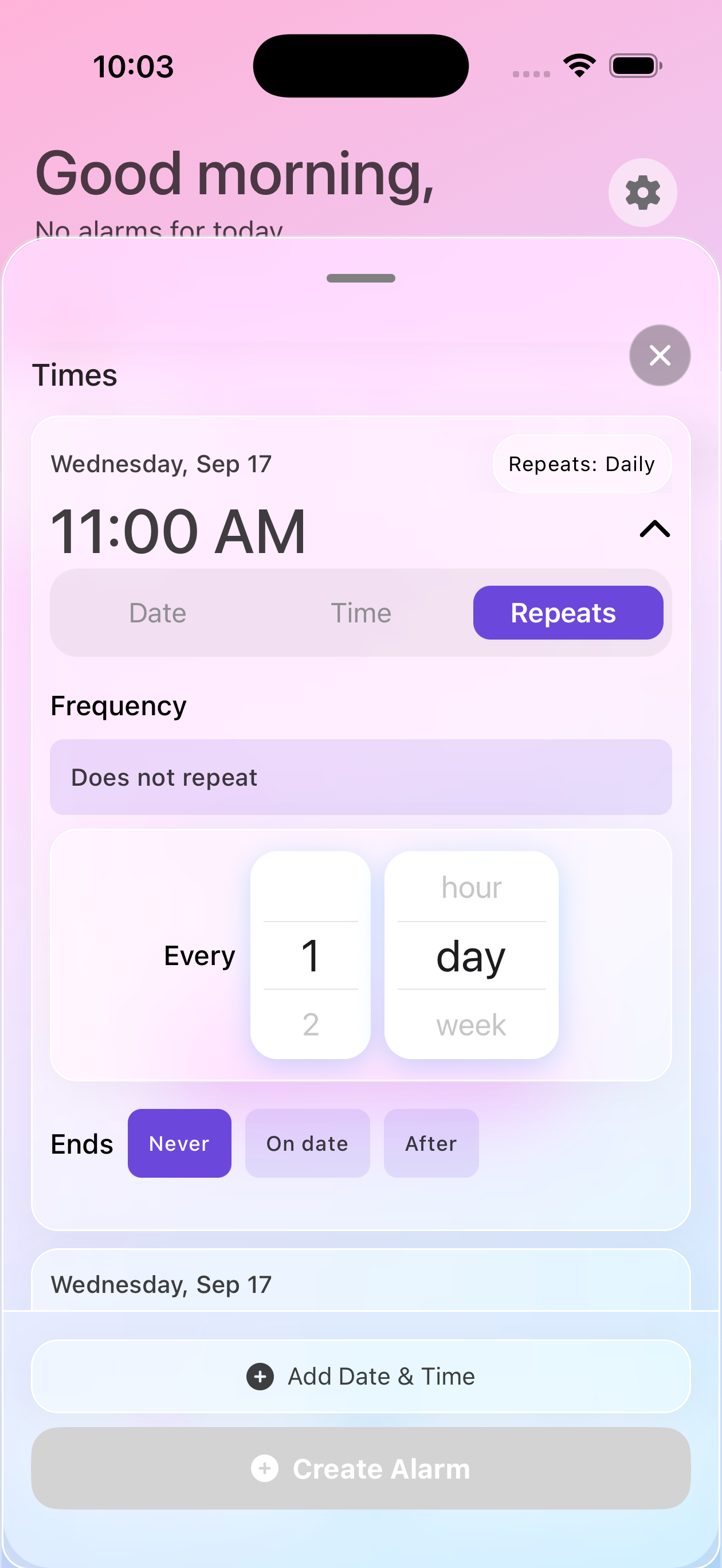
Daily Recurrence
The most common type - perfect for:
- Daily medications
- Morning/evening routines
- Regular meal times
- Daily vitamins
How to set:
- Create your alarm
- Toggle Repeat ON
- Select Every Day
- Choose when it ends (if ever)
Weekly Patterns
For things that happen on specific days:
- Work meetings (Monday-Friday)
- Weekend medications
- Gym days (Mon, Wed, Fri)
- Trash collection (Tuesday)
How to set:
- Toggle Repeat ON
- Select Weekly
- Tap the days you need
- Save your pattern
Custom Intervals
For non-standard schedules:
- Every 2 days
- Every 3 weeks
- Every 2 months
- Custom intervals using the interval setting
Setting End Conditions
Not all alarms should run forever. Here’s how to set limits:
End on a Specific Date
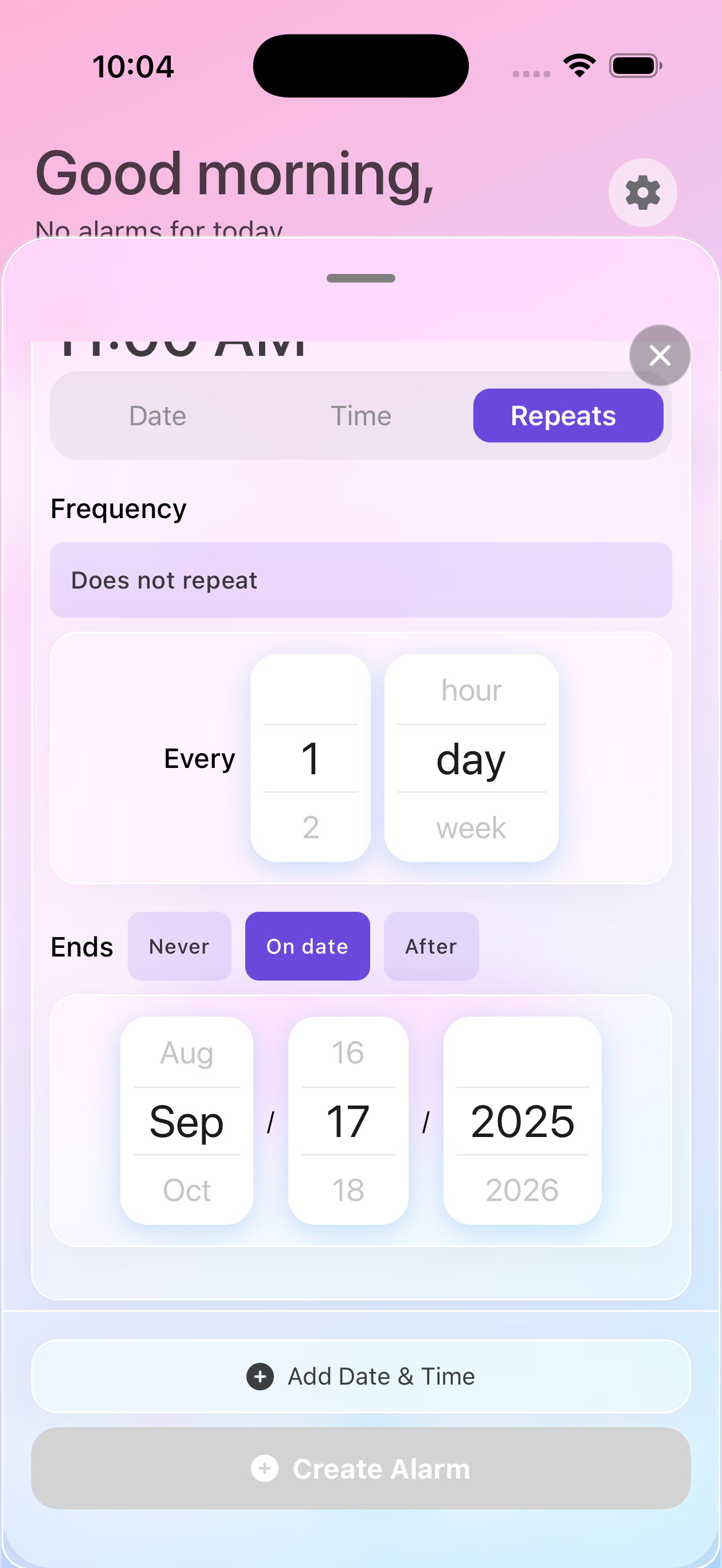
Perfect for:
- Antibiotic courses (7-10 days)
- Temporary projects
- Seasonal medications
- Short-term treatments
Steps:
- In Repeat settings, tap Ends
- Select On Date
- Choose your end date
- Confirm the selection
End After X Occurrences
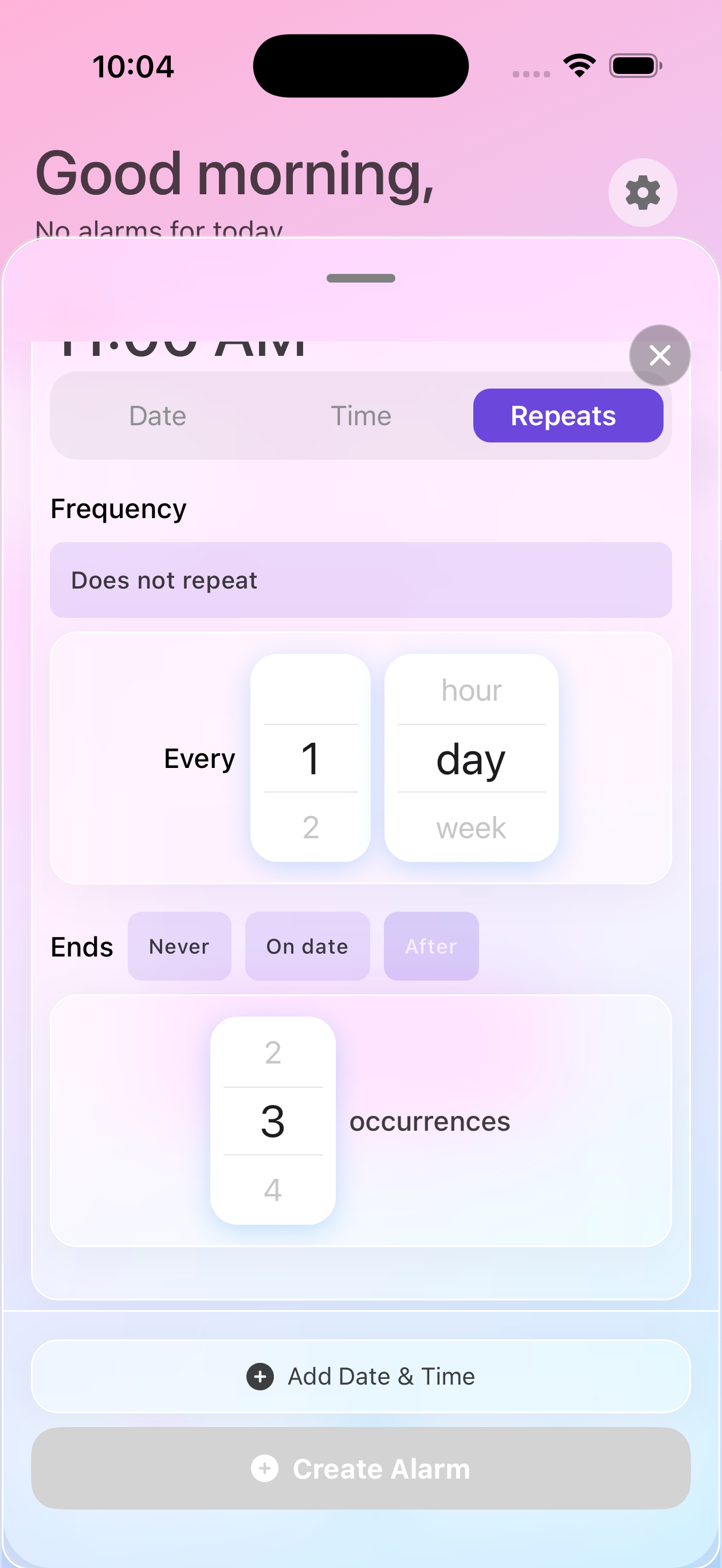
Ideal for:
- “Take 20 doses” prescriptions
- Limited therapy sessions
- Course completions
- Countdown scenarios
Steps:
- In Repeat settings, tap Ends
- Select After
- Enter number of times
- Alarm counts down automatically
Never End
For ongoing needs:
- Chronic medication
- Daily routines
- Regular appointments
- Permanent reminders
Common Recurring Schedules
Medication Schedules
Twice Daily (12 hours apart):
- 8:00 AM - Morning dose
- 8:00 PM - Evening dose
- Set each as daily recurring
Three Times Daily (with meals):
- 7:00 AM - Breakfast dose
- 12:30 PM - Lunch dose
- 6:30 PM - Dinner dose
Every Other Day:
- Create alarm
- Set to repeat every 2 days
- Perfect for alternating medications
Work Schedules
Daily Standup (Weekdays only):
- 9:00 AM alarm
- Repeat: Mon-Fri
- Skip weekends automatically
Weekly Team Meeting:
- Wednesday 2:00 PM
- Repeat: Weekly on Wed
- Add 10-minute prep reminder
Monthly Reports:
- Last Friday of month
- Repeat: Monthly
- Custom: Last Friday
Exercise Routines
3x Week Workout:
- Monday 6:00 AM
- Wednesday 6:00 AM
- Friday 6:00 AM
- Each set to weekly repeat
Daily Steps Reminder:
- Every 2 hours from 9 AM-7 PM
- Skip if already completed
- Weekend different times
Family & Personal
School Drop-off (Term Time):
- 7:45 AM Mon-Fri
- End date: Last day of term
- Resume next term
Weekend Chores:
- Saturday 10:00 AM - Grocery shopping
- Sunday 9:00 AM - Meal prep
- Both weekly recurring
Complex Patterns
Shift Work
For rotating shifts:
Pattern A (Days):
- 7:00 AM start reminder
- 3:00 PM end reminder
- Repeat: Custom days
Pattern B (Nights):
- 7:00 PM start reminder
- 7:00 AM end reminder
- Alternate weekly
Intermittent Fasting
16:8 Schedule:
- 12:00 PM - Eating window opens
- 8:00 PM - Eating window closes
- Daily recurring
5:2 Diet:
- Monday & Thursday - Fast day reminders
- Other days - Normal eating
- Weekly pattern
Study Schedules
Exam Preparation:
- 6 weeks before: 1 hour daily
- 4 weeks before: 2 hours daily
- 2 weeks before: 3 hours daily
- Increasing intensity
Best Practices
Start Simple
- Create one recurring alarm
- Test for a few days
- Adjust as needed
- Add complexity gradually
Document Patterns
Keep notes on:
- Why you chose this schedule
- What works best
- Seasonal adjustments needed
- Exceptions to remember
Regular Reviews
Weekly:
- Check upcoming week
- Adjust for appointments
- Add skip dates if needed
Monthly:
- Review all patterns
- Delete expired alarms
- Optimize schedules
Quarterly:
- Major reorganization
- Seasonal updates
- Pattern effectiveness
Integration with Life
With Calendar
- Create alarms from calendar events
- Browse upcoming meetings
- Maintain work-life balance
With Health Goals
- Medication compliance
- Exercise consistency
- Sleep schedule support
With Productivity
- Deep work blocks
- Break reminders
- Review cycles
Next Steps
Master recurring alarms, then explore:
Need Help?
Questions about recurring alarms? Contact support for personalized assistance!