Fix Your Alarm Chaos
iOS 26+ Exclusive

Stop Missing
Critical Moments

Tired of "Alarm 1, 2, 3" chaos? ZeroMiss organises your life with smart filtering, silence rules, and topic-based alarms that actually make sense.

67% of people struggle with medication adherence, and 52% miss medical appointments annually.

100% Private
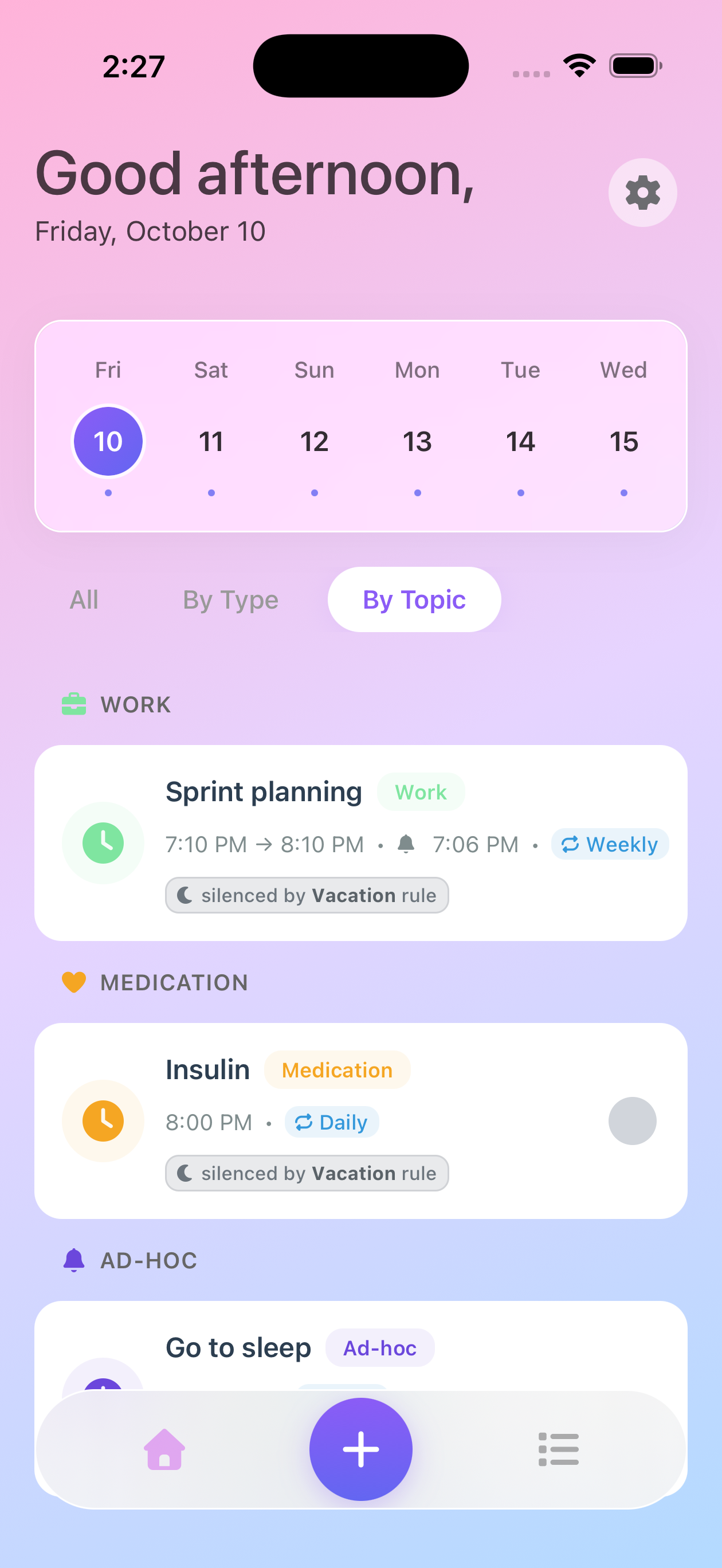
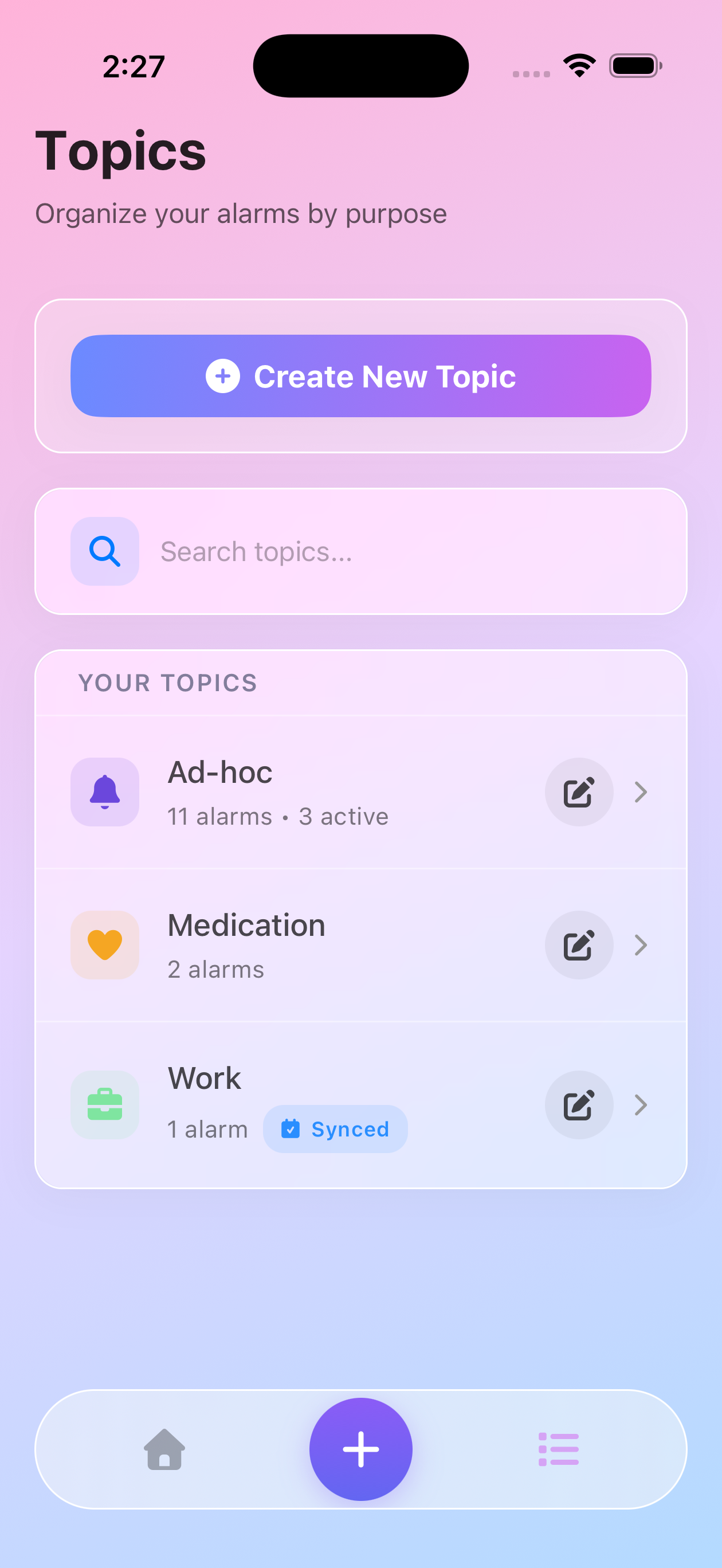
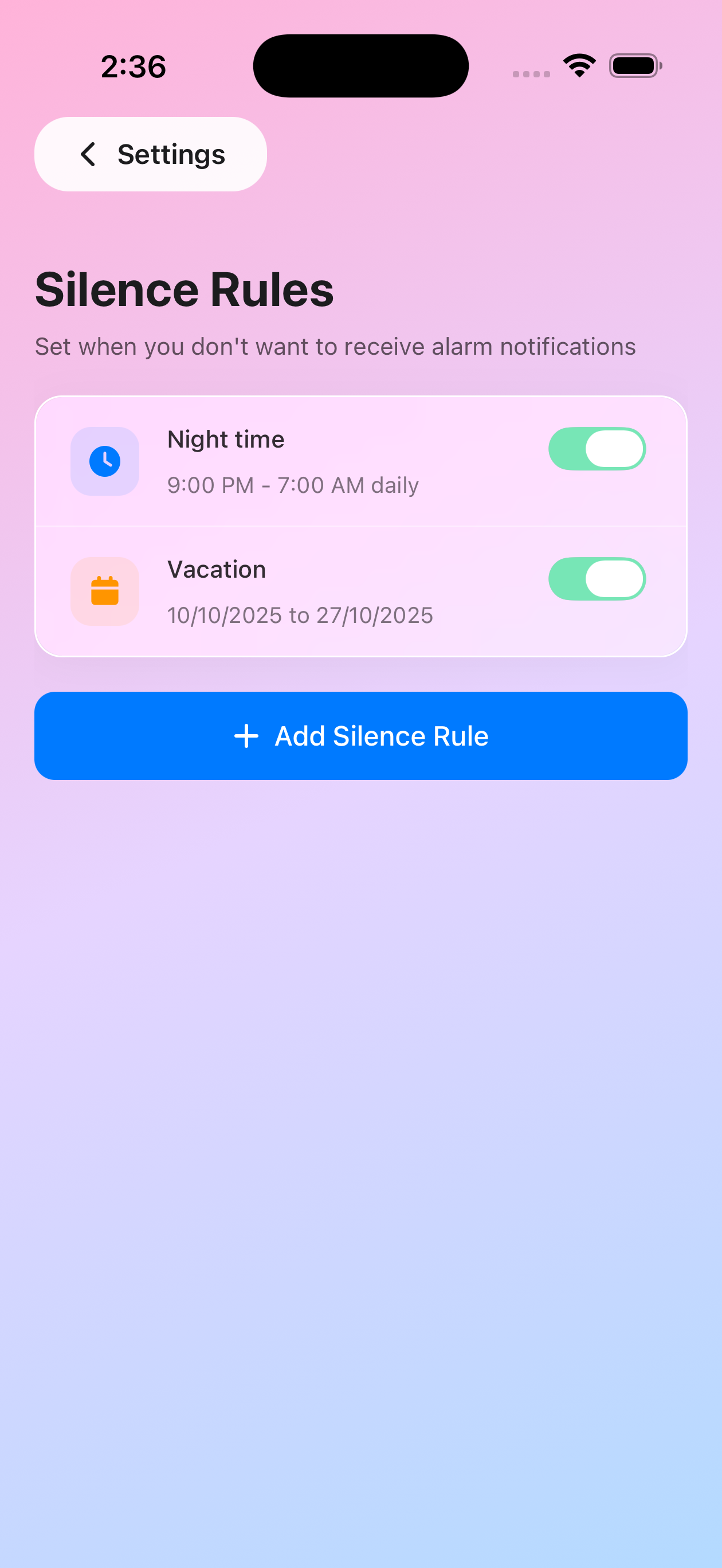
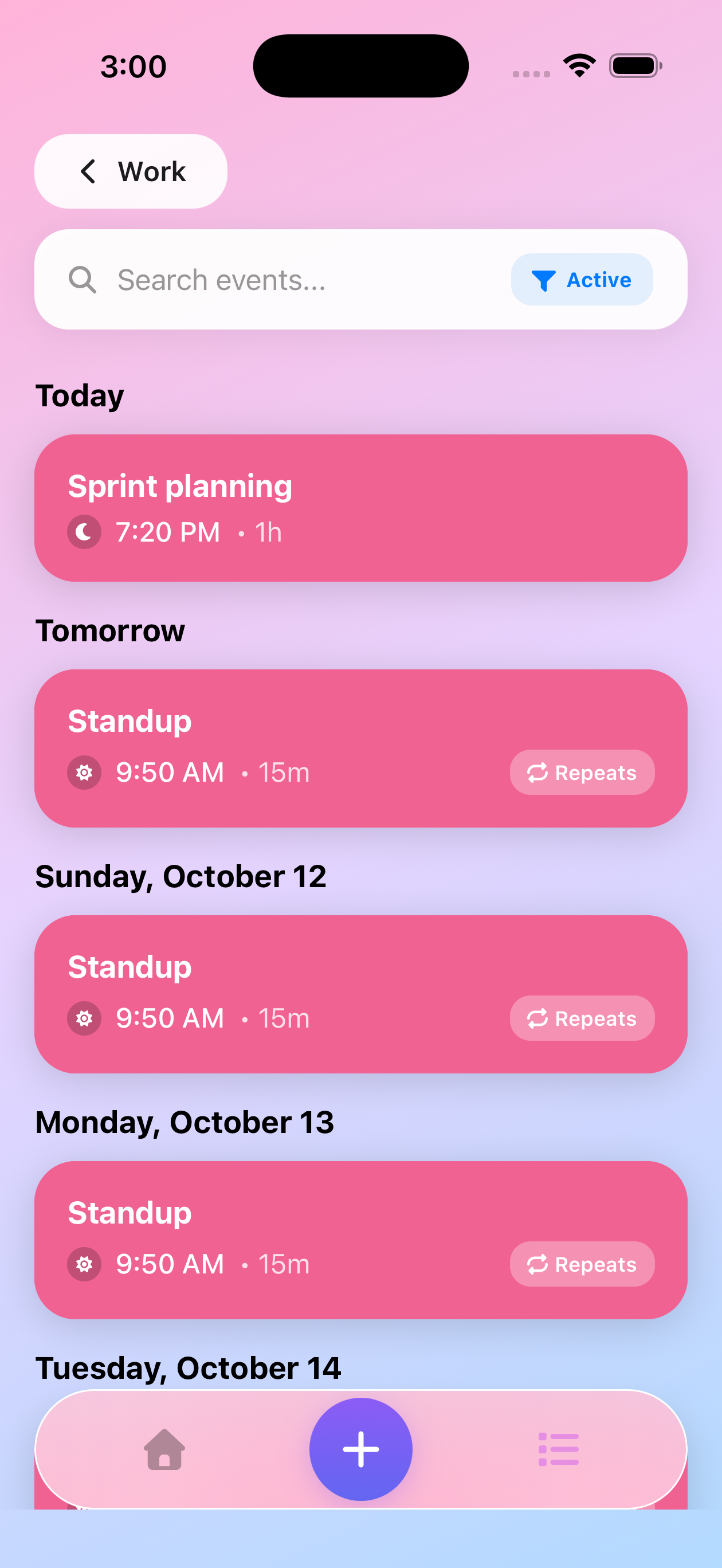
ZeroMiss App - Organize alarms by topic with color-coded groups ZeroMiss App - Manage multiple topics with icons and colors ZeroMiss App - Silence rules for managing quiet hours and focus time ZeroMiss App - Browse calendar events and create preparation alarms
Smart Filtering
Silence Rules
Why Choose ZeroMiss

Features That Matter

Built from real user research, every feature addresses actual pain points to ensure you never miss what's important.

Smart Calendar Sync

Automatically sync with your calendars and create alarms for events. When meetings move, your alarms auto-adjust too!

Calendar Event Alarms

Create alarms from your calendar events with customizable lead times. Browse upcoming events and add alarms in seconds.

Topic-Based Organisation

Group related alarms under meaningful topics like "Medication" or "Meetings" instead of confusing numbered alarms.

Medication Management

Perfect for managing complex medication schedules with morning and evening doses, all organised in one place.

Flexible Recurrence

Set alarms to repeat hourly, daily, weekly, or on custom schedules that fit your unique routine.

Professional Ready

Prepare for meetings with smart preparation alarms that help you stay ready for every appointment.

Beautiful Interface

Clean, intuitive design that makes managing your schedule a delightful experience.

Smart Filtering

View alarms by type (Alerts/To-Do) or by topic. Switch between All, By Type, and By Topic views instantly to see exactly what you need.

Silence Rules

Set custom quiet hours for sleep, work, or focus time. Create schedules when alarms stay muted - perfect for managing interruptions.

iCloud Backup

Your topics, alarms, and settings automatically sync via iCloud. Never lose your schedule when switching devices.

Research-Driven Design

Built on Real User Feedback

We interviewed users and researched extensively to understand alarm app frustrations. Every feature in ZeroMiss directly addresses real pain points - from medication management to meeting preparation.

  • Calendar sync with automatic alarm adjustments
  • Perfect for attention management
  • Designed for complex medication schedules
93%

of surveyed users struggle with managing multiple alarms across different apps

Based on our user research study

Real Problems From Real Users

We built ZeroMiss after hearing these frustrations on Reddit

I keep setting alarms with names like 'Alarm 1', 'Alarm 2', 'Alarm 3' and then when they go off I have no idea what they're for. Anyone else do this?

u/throwaway28492 r/productivity

Missed another client meeting preparation. Had an alarm set but honestly forgot what it was for when it went off. Need better organisation.

u/dev_life_balance r/ADHD

Third time this month I've forgotten my evening medication. My phone has like 15 random alarms and I can't remember what half of them are for.

u/daily_struggler r/chronicillness

My meeting got rescheduled 3 times this week and I kept forgetting to update my reminder alarms. Ended up preparing at the wrong times.

u/remote_worker_87 r/timemanagement

Why is it so hard to organise alarms properly? I've got work stuff mixed with personal stuff and it's just a mess of notifications.

u/tech_consultant23 r/organisation
CALENDAR INTEGRATION

Calendar Event Alarms

Browse your calendar events and create alarms with custom lead times.
Perfect for meeting prep and appointments.

Upcoming Events

Synced

Team Meeting

Today, 2:00 PM

Alarm: 15 min before

Doctor Appointment

Tomorrow, 10:00 AM

No alarm set

Sprint Planning

Friday, 7:15 PM

✓ Alarm: 1 hour before

Choose your prep time for each event

Create Alarms from Your Calendar

Connect your calendars to browse upcoming events and create preparation alarms with customizable lead times. Perfect for making sure you're always ready.

Multi-Calendar Support

Sync with work, personal, and family calendars through Apple Calendar

Custom Lead Times

Choose 5, 15, 30 minutes, 1 hour, or set a custom prep time for each event

Browse Upcoming Events

View all your upcoming events and select which ones need preparation alarms

Organized by Topic

Calendar alarms stay organized in their dedicated topics with color coding

How Calendar Sync Works

1

Connect Calendars

Link your calendars through Apple Calendar on your iPhone

2

Browse Events

View upcoming events and select which ones you need alarms for

3

Set Lead Time

Choose how much prep time you need before each event

Create Alarms

Tap to create alarms and stay prepared for your events

Simple & Intuitive

How ZeroMiss Works

Get started in minutes with our intuitive setup process. No complicated configurations needed.

01

Create Topics

Organise your alarms into meaningful categories like "Work Meetings", "Medication", or "Family Time".

02

Set Smart Alarms

Add multiple alarms under each topic. Set recurrence patterns and flexible scheduling.

03

Stay Organised

Easily manage all your reminders in one place with clear, topic-based organisation.

Coming Soon

Future Features

Exciting new capabilities we're working on for upcoming releases

Pomodoro Focus Timers

Set dedicated focus time blocks and get reminded when it's time to start. Perfect for deep work sessions and productivity.

Coming Soon

Auto-Silence During Meetings

Automatically silence alarms when you're in calendar events. Never get interrupted during important meetings.

Coming Soon

Travel Time Integration

Automatic travel time calculation for meetings based on location and current traffic conditions.

Coming Soon
Free to Download • No Credit Card Required

Never Miss Another
Important Moment

Join others who never miss important moments. Exclusively for iOS.

Privacy First
No data sharing
Battery Efficient
Optimised performance
Works Offline
No internet required